 Stack

monday.com Work Management
The cheapest published seat on this desk, with an AI credit charge cancelled by a discount of the same size
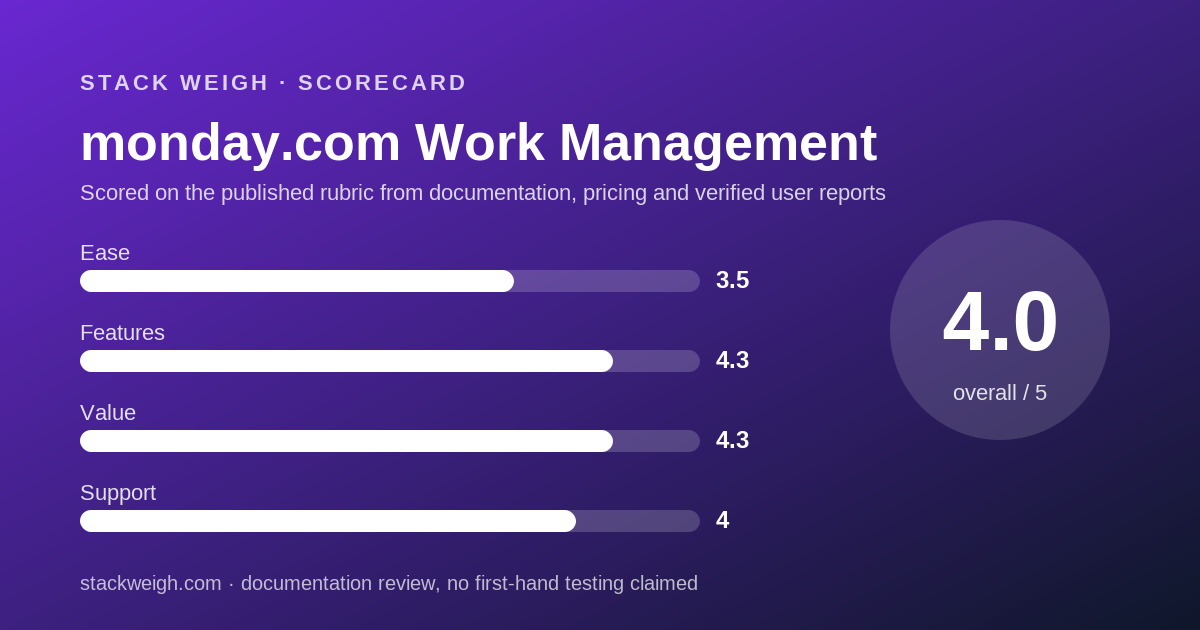
Scored on the published rubric, from documentation, pricing and verified user reports.
Best for: Teams of three to forty seats that want the lowest published rate and can read past a discount that cancels a charge of the same size.
Verdict
monday.com publishes the joint lowest paid seat rate of the big work management lists and by far the most confusing card arithmetic. This is a documentation review built from the pricing page as displayed on October 29, 2026, not from direct use.
Four tiers carry figures on annual billing. Free is US$0 for 2 seats, Basic is US$9 per seat per month, Standard is US$12 and Pro is US$19. Enterprise is a quote.
The monthly rates are not on the cards at all. They sit in the structured pricing data inside the page markup, at US$12, US$14 and US$24. From those, our arithmetic gives savings of 25.0, 14.3 and 20.8 percent, so the selector's single claim of 18 percent cannot be reproduced from any pair the page publishes.
Value scores 4.3 on US$108 a seat a year. Ease scores 3.5 because every paid card adds an AI credit charge and then removes it again with a special discount of exactly the same amount.
Visit monday.com Work Management
We have no affiliate relationship with this vendor. Link goes to the official site.
Where it is strong
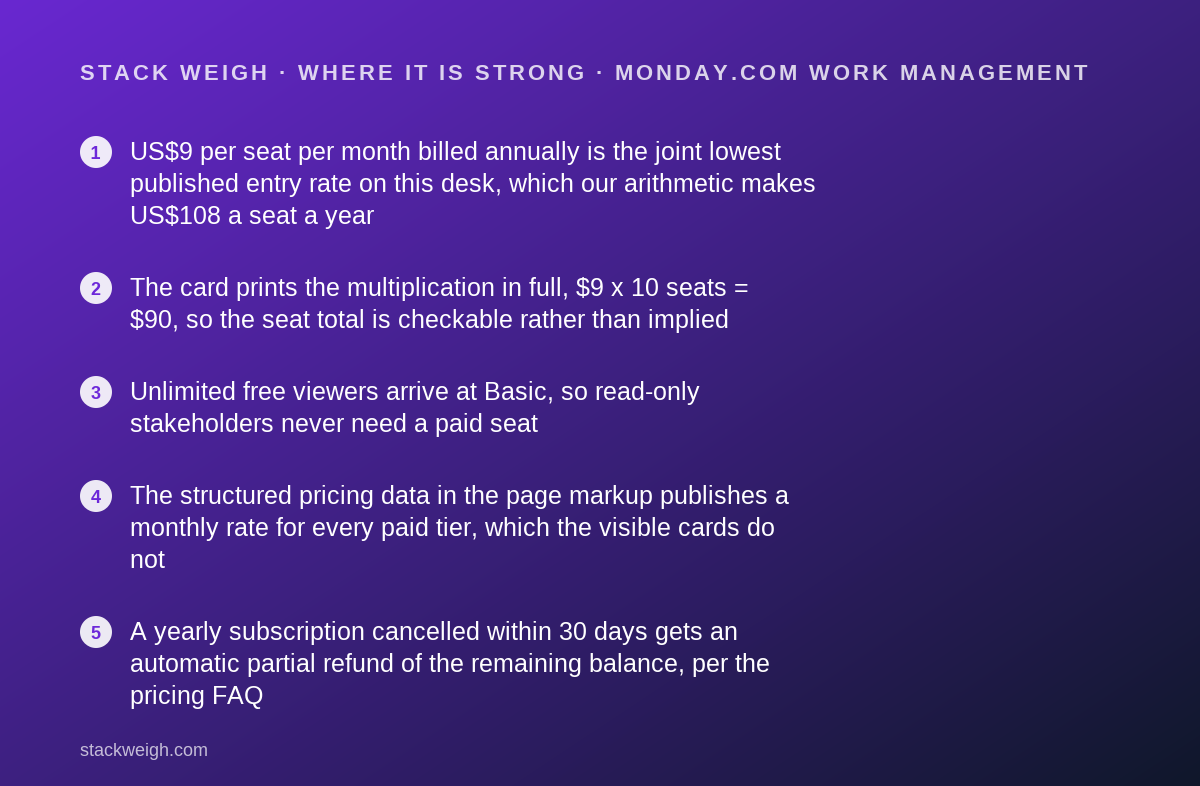
- US$9 per seat per month billed annually is the joint lowest published entry rate on this desk, which our arithmetic makes US$108 a seat a year
- The card prints the multiplication in full, $9 x 10 seats = $90, so the seat total is checkable rather than implied
- Unlimited free viewers arrive at Basic, so read-only stakeholders never need a paid seat
- The structured pricing data in the page markup publishes a monthly rate for every paid tier, which the visible cards do not
- A yearly subscription cancelled within 30 days gets an automatic partial refund of the remaining balance, per the pricing FAQ
- The pricing FAQ names a 14-day free trial and states it is the Pro plan rather than a reduced version
Where it falls short
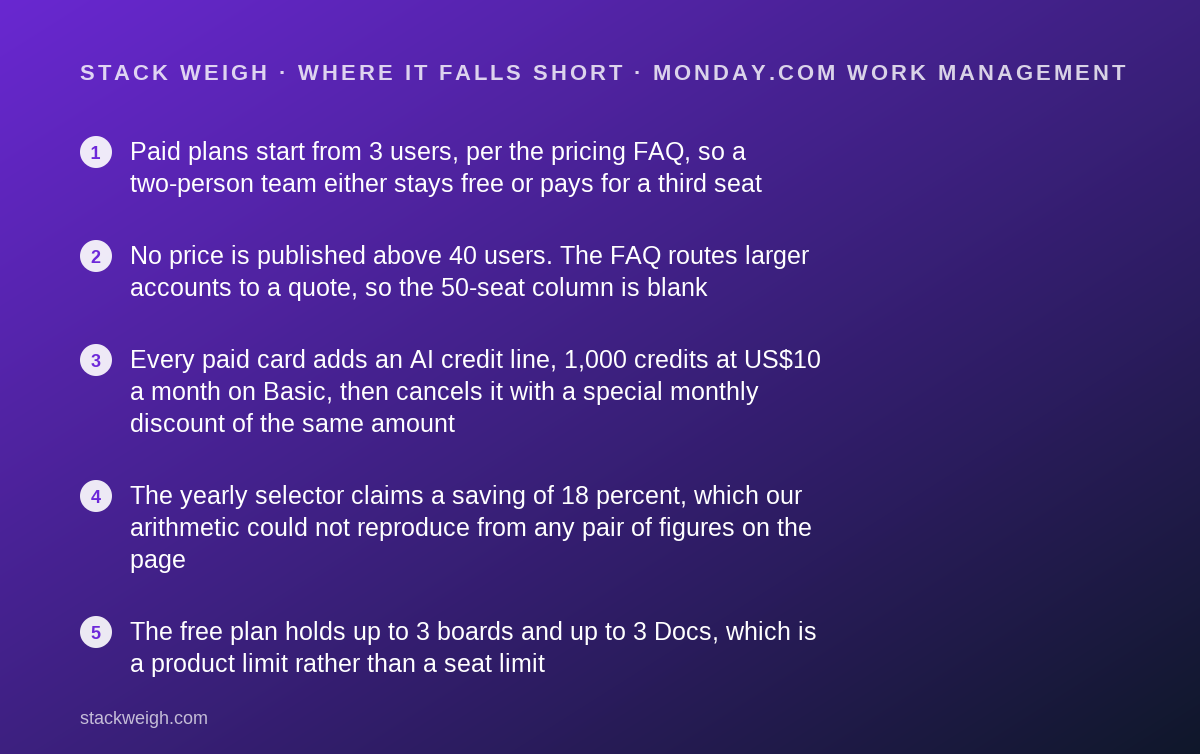
- Paid plans start from 3 users, per the pricing FAQ, so a two-person team either stays free or pays for a third seat
- No price is published above 40 users. The FAQ routes larger accounts to a quote, so the 50-seat column is blank
- Every paid card adds an AI credit line, 1,000 credits at US$10 a month on Basic, then cancels it with a special monthly discount of the same amount
- The yearly selector claims a saving of 18 percent, which our arithmetic could not reproduce from any pair of figures on the page
- The free plan holds up to 3 boards and up to 3 Docs, which is a product limit rather than a seat limit
- Automation and integration actions are capped at 250 a month each on Standard, so the cheap seat can still stall the workflow
At a glance
| Starting price | US$0 on Free, capped at 2 seats. First paid tier is Basic at US$9 per seat per month billed annually |
|---|---|
| Pricing note | From US$9 per seat per month on Basic billed annually, which our arithmetic makes US$108 a seat a year, with paid plans starting at 3 users and no published price above 40 users (pricing page, checked October 29, 2026) |
| Monthly-billing price | US$12 on Basic, US$14 on Standard and US$24 on Pro, from the structured pricing data in the page markup rather than from the visible cards |
| Annual cost per seat | US$108 on Basic, US$144 on Standard and US$228 on Pro, by our arithmetic from the published monthly figures |
| Free plan | Yes, free forever, up to 2 seats, up to 3 boards and up to 3 Docs |
| Seat minimum | 3 users on paid plans, per the pricing FAQ |
| Seat maximum published | 40 users. The FAQ routes anything above that to a sales quote |
| Viewers | Unlimited free viewers from Basic, read-only, with no editing rights |
| Guests | Guest access begins at Standard |
| AI pricing unit | The credit. 1,000 a month on Basic, 2,000 on Standard and 3,000 on Pro, listed at US$0.01 each and currently offset by a discount |
| Automation actions | 250 a month on Standard, 25,000 on Pro and up to 250,000 on Enterprise |
| API calls | 1,000 a day on Standard, 10,000 on Pro and 25,000 on Enterprise |
| Trial | 14 days on the Pro plan, per the pricing FAQ |
| Refunds | Automatic partial refund of the remaining balance if a yearly subscription is cancelled within 30 days. No refunds for downgrades after that |
| Tax | Prices exclude tax, and the page states the price is determined by the billing country |
What monday.com actually charges for
monday.com sells seats, caps actions and meters AI. Three different units on one page, which is why the card total needs reading twice.
The seat is the headline. Everything else is a ceiling attached to a tier: automation actions a month, integration actions a month, API calls a day, AI credits a month.
There is also more than one price list behind the same domain. Work management, CRM and Dev are priced separately, and the seat selector defaults to a different number on each.
If you are new to lists built this way, our guide to reading a per-seat pricing page explains why the per-seat number is rarely the whole number.
Who the monday.com price list fits
This list rewards teams that fit inside the range it publishes, pay annually, and have more people watching work than doing it.
- Teams of 3 to 40 seats, which is the only band the page prices without a sales call
- Departments with a long tail of read-only stakeholders, covered by unlimited free viewers from Basic
- Buyers who want the seat multiplication shown on the card rather than left as an exercise
- Teams willing to commit for a year, where US$9 a seat a month is the joint cheapest rate on this desk
- Anyone who wants a refund route out of an annual commitment within the first 30 days
Who should pass on monday.com
Three groups will find the page working against them, and in each case the reason is a published limit rather than a product judgement.
- Pairs and solo buyers, because paid plans start at 3 users and the free plan holds only 3 boards
- Organisations above 40 users, where published pricing simply stops
- Teams whose value comes from automation volume, since Standard allows 250 actions a month
What the free plan includes at US$0
Free is labelled free forever and holds up to 2 seats. The limit that bites first is not the seat count, it is the board count.
The card lists up to 3 boards, up to 3 Docs, more than 200 templates, 8 column types and the iOS and Android apps.
Three boards is enough to evaluate the tool and not enough to run a department. That is a deliberate design, and it is clearer than a free tier that quietly degrades.
Unlimited items only arrive at Basic, alongside unlimited free viewers. So the free plan is a demonstration, and the first real plan is US$9 a seat a month on annual billing.
How the paid tiers are priced, as of October 2026
On the yearly selector, Basic is US$9 per seat per month, Standard is US$12 and Pro is US$19. Enterprise shows a custom price with discounts available.
Our arithmetic turns those into US$108, US$144 and US$228 per seat per year. At the page's own 10-seat default that is US$1,080, US$1,440 and US$2,280 a year.
The card does the seat multiplication in public, which is rarer than it should be. Basic prints $9 x 10 seats = $90, then a total of $90 a month billed annually.
Enterprise adds 250 workflows, up to 250,000 automation and integration actions a month, portfolio management, resource management, multi-level permissions and 25,000 API calls a day. None of it carries a number.
For turning a card like this into a figure you can put in a budget, the method is in turning a pricing page into a bill.
The monthly rates are in the markup, not on the cards
Switching the selector to monthly does not change what a fetched page shows, so the monthly figures had to come from somewhere else.
They are in the structured pricing data embedded in the page markup: US$12 on Basic, US$14 on Standard and US$24 on Pro, each tagged as a monthly unit price alongside the annual one.
Those pairs confirm the annual rates exactly, at US$9, US$12 and US$19. That is the useful part: two independent places on the same page agree on the annual numbers.
The unuseful part is the saving. Our arithmetic gives 25.0 percent on Basic, 14.3 percent on Standard and 20.8 percent on Pro. The selector claims 18 percent, flat, for all three.
We could not reproduce 18 percent from any pair of figures the page publishes. Until the company says which pair it used, treat the saving as tier-specific and confirm the number at checkout.
The CRM list shows the same habit from the other direction. Its cards strike through US$18, US$25 and US$41, while the markup gives monthly rates of US$15, US$20 and US$33 for the same three tiers.
The AI credit charge is cancelled by a discount of exactly the same size
This is the single most important line on the page and it is easy to skim past. Every paid card builds its total in four steps.
Basic at 10 seats reads: $9 x 10 seats = $90, then 1,000 credits = $10, then special monthly discount = minus $10, then total = $90 a month billed annually.
Standard does the same with 2,000 credits at US$20 and a minus US$20 discount. Pro does it with 3,000 credits at US$30 and a minus US$30 discount.
So the credit allowance is priced, consistently, at US$0.01 a credit. It is then given away by a promotion the page does not date.
If that promotion ends, Basic at 10 seats goes from US$90 to US$100 a month, which our arithmetic makes US$1,200 a year against US$1,080. That is 11.1 percent on a tier chosen for being cheap.
The page also does not say whether the credit pool scales with seats. It shows the same 1,000 credits at the 10-seat default without stating a per-seat relationship.
A metered line that is currently free is still a metered line. Budgeting for usage-based pricing sets out how to price the ceiling instead of the promotion.
The published price list stops at 40 users
The pricing FAQ is direct about it. Plans start from 3 users, and anything above 40 users goes to a quote.
That makes the 50-seat column blank. For a desk that models bills at 1, 5, 20 and 50 people, three of those four numbers have an answer here and one does not.
It also means the cheap seat rate has a shelf life. A team that grows past 40 leaves published pricing behind and enters a negotiation.
Payment is one upfront instalment either way. The FAQ states that a one-year purchase is paid for a year upfront, which matters more at 40 seats than at 5.
When one vendor prices to 40 seats and another prices to any number, the quotes are not the same shape. Comparing quotes priced in different units covers how to line them up anyway.
Features: what the 4.3 is built from
Features scores well because the tier ladder is specific and every step adds a countable thing rather than a vague one.
Basic adds unlimited items and unlimited free viewers. Standard adds 3 workflows, 250 automation actions and 250 integration actions a month, timeline and Gantt views, calendar view, guest access and 1,000 API calls a day.
Pro adds 20 workflows, 25,000 automation and 25,000 integration actions a month, private boards and docs, advanced board views, time tracking, advanced columns and 10,000 API calls a day.
The jump from 250 to 25,000 actions is the real content of the Standard-to-Pro step. At US$12 against US$19 a seat a month, that is a hundredfold increase in ceiling for a 58 percent increase in rate, by our arithmetic.
AI tooling is tiered by count too: 3 tools and 1,000 credits on Basic, 5 tools and 2,000 on Standard, 6 tools and 3,000 on Pro, with Enterprise credits described as matched to how the team works.
Value: 4.3, on US$108 a seat a year
US$108 a seat a year is the joint cheapest published work management seat on this desk as of October 29, 2026.
At five seats that is US$540 a year. At twenty it is US$2,160. Both figures are our arithmetic from the published monthly rate.
The three-seat minimum costs a small team real money. A single buyer pays US$324 a year for three seats, two of which are unused.
Against that, the viewer policy is genuinely cheap. A team of 6 doers and 20 watchers pays for 6 seats, not 26, which no amount of seat discounting elsewhere will match.
The mark against value is the undated discount. A rate that depends on a promotion is a rate with a question mark, and the page does not answer it.
Ease of use: 3.5, judged on how the price list reads
This score covers the buying experience, not the software. Grades on this desk come from documentation and pricing pages rather than from direct use.
The page does three things well. It shows the seat multiplication, it publishes a feature count rather than a feature adjective, and it names the tax rule.
It does three things badly. The monthly rates are absent from the cards, the saving percentage does not match the figures, and the credit charge plus matching discount makes the total look like an offer rather than a price.
The struck-through figures are the worst of it. On the work management cards they are the annual total plus the credit charge, which is neither a monthly price nor a list price.
A buyer reading quickly would reasonably assume a struck-through US$140 next to US$120 means monthly against annual. It does not, and nothing on the card says so.
Support: 4.0, with a 30-day partial refund
The refund policy is the best of the three big lists. A yearly subscription cancelled within 30 days is automatically refunded for the remaining balance.
That is an automatic refund from the admin section rather than a support ticket, per the pricing FAQ. After the window, downgrades are not refunded.
The trial is 14 days on the Pro plan, which the FAQ states applies to work management, CRM and Dev. A trial of the top priced tier is more useful than a trial of the cheapest.
Enterprise support is described as 24/7 with tailored onboarding, daily webinars and a 99.9 percent uptime commitment. Those terms carry no price, because the tier carries no price.
Tax is handled in a footnote: prices exclude tax, and the price is determined by the billing country, with the final figure shown before payment completes.
Alternatives worth pricing against monday.com
The comparison that matters depends on headcount, because this list is cheapest in the middle and silent at the top.
Choose monday.com if the team sits between 3 and 40 seats, pays annually, and has a large read-only audience to seat for nothing.
Choose a tool that publishes pricing at any seat count if you expect to pass 40 people inside the contract term, since this page hands that case to sales.
If the real overlap is chat and meetings rather than boards, the per-seat lists to weigh are Slack and Google Workspace, set head to head in Slack against Google Workspace.
For a modelled bill at a fixed headcount in that category, the cheapest team chat and video for a ten-person team runs the arithmetic end to end.
If documents rather than tasks are the centre of the work, our Notion review prices the nearest alternative that charges by the seat.
Bottom line
monday.com has the cheapest published seat here and the least honest-looking card on this desk, and both statements are about the same piece of paper.
Budget US$108 a seat a year on Basic, US$144 on Standard and US$228 on Pro, add tax, and assume the AI credit line will one day cost what the card says it costs.
Below 3 seats and above 40 this list has nothing to sell you. Inside that band it is hard to beat on price.
Buy it if
- You want the lowest published seat rate and will pay annually, where US$9 a seat a month works out at US$108 a seat a year
- You have more watchers than workers, because unlimited free viewers start at Basic rather than at the top tier
- Your headcount sits between 3 and 40 users, which is the only range the page actually prices
- You want a refund path on an annual commitment, which the 30-day partial refund provides
Skip it if
- You are a team of two, since paid plans start at 3 users and the free plan holds only 3 boards and 3 Docs
- You are buying more than 40 seats, where the page stops publishing and a sales quote begins
- You need the workflow to run hard on a cheap tier, because Standard caps automations and integrations at 250 actions a month each
Frequently asked
How much does monday.com cost for a 10-person team?
US$1,080 a year on Basic at US$9 a seat a month billed annually, US$1,440 on Standard and US$2,280 on Pro. All three are our arithmetic from the pricing page checked October 29, 2026, before tax.
Does monday.com have a free plan?
Yes. Free is listed at US$0 and labelled free forever, but it holds up to 2 seats, up to 3 boards and up to 3 Docs. More than 200 templates and 8 column types are included, checked October 29, 2026.
What is the minimum number of seats on monday.com?
Three. The pricing FAQ states that plans start from 3 users, so the smallest paid purchase on Basic is US$324 a year by our arithmetic, even for a team of one.
Is the 18 percent yearly saving on monday.com real?
We could not reproduce it. The markup's monthly rates of US$12, US$14 and US$24 against annual rates of US$9, US$12 and US$19 give savings of 25.0, 14.3 and 20.8 percent, checked October 29, 2026.
What does monday.com cost for 50 users?
The page does not say. The pricing FAQ routes accounts above 40 users to a sales quote, so no published 50-seat figure exists as of October 29, 2026. Enterprise is described only as a custom price.
Are the AI credits on monday.com free?
They are charged and then discounted. At the 10-seat default, Basic lists 1,000 credits at US$10 a month and a special monthly discount of minus US$10. The page does not state how long that discount lasts.
Can I get a refund from monday.com?
Partly. The pricing FAQ says a yearly subscription cancelled within 30 days is automatically refunded for the remaining balance. After that window, downgrades are not refunded at all.
Is monday CRM priced the same as work management?
No, it is a separate list. The CRM cards show US$12, US$17 and US$28 a seat a month billed annually at a three-seat default, checked October 29, 2026, with Ultimate quoted.
Sources
- monday.com pricing page: work management plan cards, feature lists and pricing FAQ - checked October 29, 2026
- Structured product and offer data embedded in the monday.com pricing page markup - checked October 29, 2026
Visit monday.com Work Management
We have no affiliate relationship with this vendor. Link goes to the official site.