 Stack

ClickUp
The only list here that sells a single paid seat, and the only one whose AI allowance grows with headcount
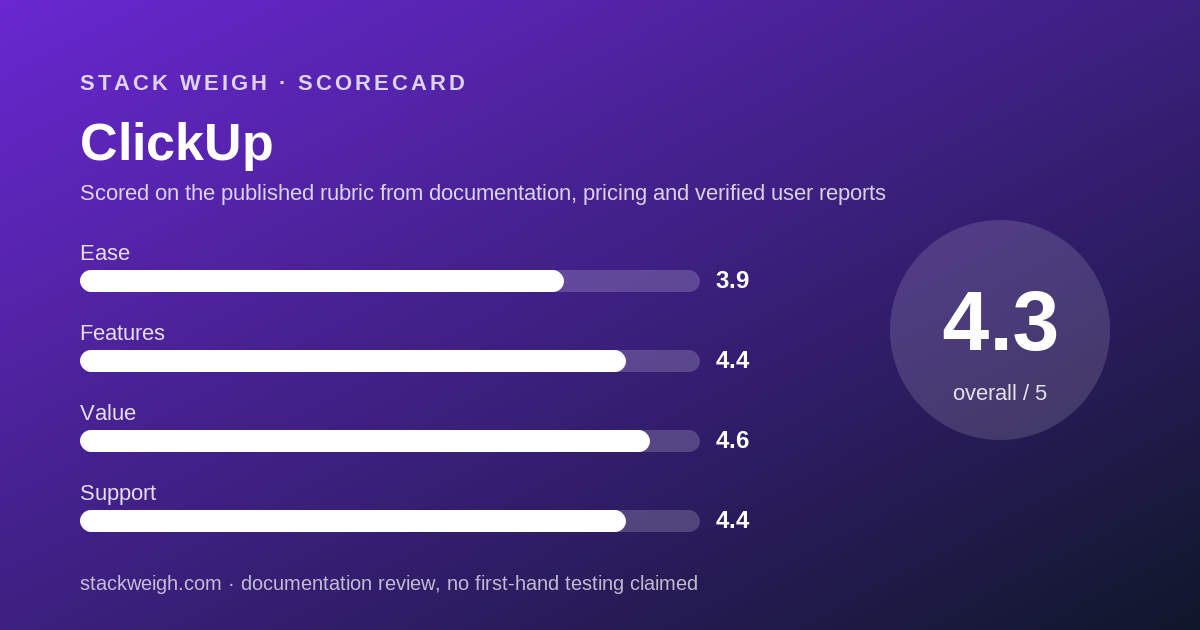
Scored on the published rubric, from documentation, pricing and verified user reports.
Best for: Buyers of one to fifty seats who want one published rate at any headcount and a 30-day money-back route out.
Verdict
ClickUp is the only work management price list on this desk that will sell a single paid seat, and the only one whose AI allowance grows with the team. This is a documentation review built from the pricing page as displayed on October 29, 2026, not from direct use.
Five tiers appear. Free Forever is US$0, Core is US$9 per user per month billed yearly, Business is US$17, Enterprise is a quote and Max is US$100.
Our arithmetic makes those US$108, US$204 and US$1,200 per user per year. At one seat, five, twenty or fifty, the rate does not change and no minimum intervenes.
Value scores 4.6 on that combination and on a stated 30-day full refund. Ease scores 3.9 for one reason: the page strikes through US$12, US$25 and US$120 as a regular price without ever saying whether that is the monthly rate, and the monthly view could not be read.
Visit ClickUp
We have no affiliate relationship with this vendor. Link goes to the official site.
Where it is strong
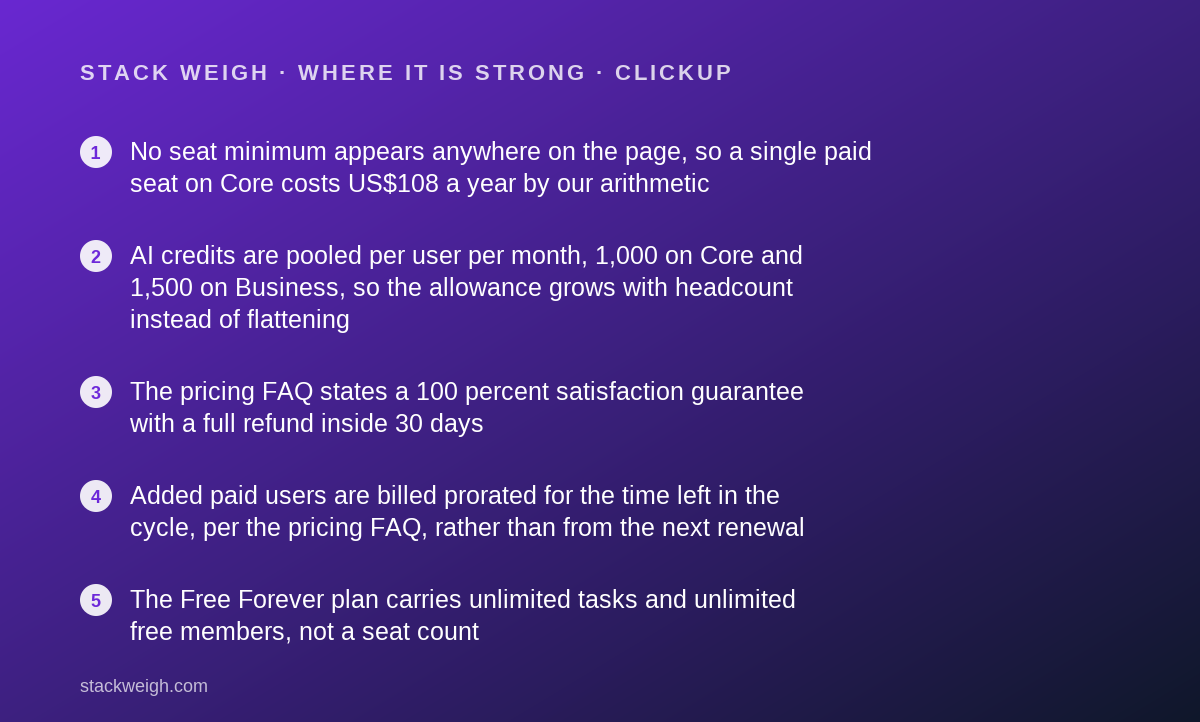
- No seat minimum appears anywhere on the page, so a single paid seat on Core costs US$108 a year by our arithmetic
- AI credits are pooled per user per month, 1,000 on Core and 1,500 on Business, so the allowance grows with headcount instead of flattening
- The pricing FAQ states a 100 percent satisfaction guarantee with a full refund inside 30 days
- Added paid users are billed prorated for the time left in the cycle, per the pricing FAQ, rather than from the next renewal
- The Free Forever plan carries unlimited tasks and unlimited free members, not a seat count
- The full feature table marks every row as included, not included, trial or a number across all five tiers
Where it falls short
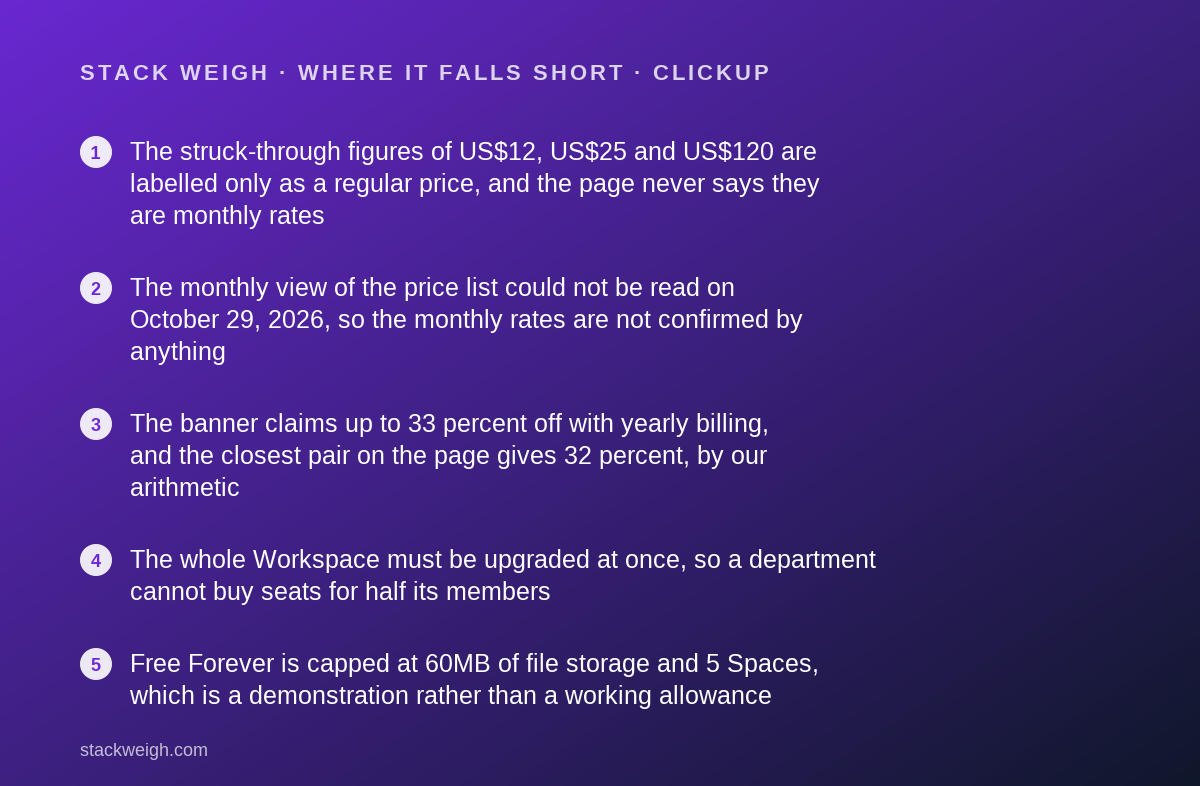
- The struck-through figures of US$12, US$25 and US$120 are labelled only as a regular price, and the page never says they are monthly rates
- The monthly view of the price list could not be read on October 29, 2026, so the monthly rates are not confirmed by anything
- The banner claims up to 33 percent off with yearly billing, and the closest pair on the page gives 32 percent, by our arithmetic
- The whole Workspace must be upgraded at once, so a department cannot buy seats for half its members
- Free Forever is capped at 60MB of file storage and 5 Spaces, which is a demonstration rather than a working allowance
- Protect Docs, conditional forms, priority support, white labeling, audit trails and SCIM all sit at Enterprise, which carries no price
At a glance
| Starting price | US$0 on Free Forever. First paid tier is Core at US$9 per user per month billed yearly |
|---|---|
| Pricing note | From US$9 per user per month on Core billed yearly, which our arithmetic makes US$108 a user a year, with no stated seat minimum but a rule that the whole Workspace must be upgraded at once (pricing page, checked October 29, 2026) |
| Annual cost per seat | US$108 on Core, US$204 on Business and US$1,200 on Max, by our arithmetic from the published rates |
| Struck-through regular price | US$12 on Core, US$25 on Business and US$120 on Max, labelled regular price with no billing period attached |
| Free plan | Yes, Free Forever, no credit card required, with unlimited tasks and unlimited free members |
| Seat minimum | None stated on the page as read on October 29, 2026 |
| Billing scope | Per Workspace. The pricing FAQ states the entire Workspace must be upgraded, meaning all members |
| Adding seats | Prorated to the time left in the billing cycle, per the pricing FAQ |
| File storage | 60MB on Free Forever, unlimited on Core and above |
| Spaces | 5 on Free Forever, unlimited from Core |
| Automations | 1,000 a month on Core, 10,000 on Business and 1,000,000 on Enterprise, labelled as US$20, US$100 and US$1,000 of value |
| AI pricing unit | The credit. 500 per workspace on Free, then 1,000, 1,500, 3,000 and 10,000 per user per month, pooled |
| Activity history | 1 day on Free Forever, 7 days on Core, unrestricted from Business |
| Refunds | Full refund within 30 days under a stated 100 percent satisfaction guarantee |
| Payment methods | All major credit cards. Bank transfer only for Enterprise orders meeting a minimum |
What ClickUp actually charges for
ClickUp charges per user per month, per Workspace, and meters AI by the credit. The seat rate is the headline and the Workspace rule is the catch.
Five tiers appear on the page: Free Forever, Core, Business, Enterprise and Max. Three of them carry a number.
There is no seat minimum stated anywhere. That single absence is what makes this list different from the other two big work management lists on this desk.
What is not absent is a hard scoping rule. Upgrading means upgrading the whole Workspace, so the unit of purchase is the account, not the team inside it.
If per-seat lists are unfamiliar territory, our guide to reading a per-seat pricing page sets out the fields that move the final invoice.
Who the ClickUp price list fits
This list suits buyers at the two ends of the range that rivals handle badly: very small teams, and teams that keep adding people mid-term.
- Solo buyers and pairs, who can buy exactly one or two paid seats at US$9 each a month billed yearly
- Teams that grow through the year, because added users are billed prorated to the time left in the cycle
- Workspaces with a heavy AI appetite, where credits are pooled per user rather than capped per account
- Buyers who want a refund route, covered by a stated 30-day full refund
- Teams that move everyone onto one tool at once, which is what the Workspace rule assumes
Who should pass on ClickUp
Three groups will struggle with this page, and in each case it is the structure rather than the price that gets in the way.
- Departments inside a larger free Workspace, since partial upgrades are not allowed
- Buyers who must have the monthly rate in writing, which the page does not supply in a readable form
- Organisations that need SCIM, audit trails or priority support, all of which sit at an unpriced tier
What Free Forever includes at US$0
Free Forever is unusual in that it limits the product rather than the people. Unlimited tasks and subtasks and unlimited free members are both on the card.
The limits are elsewhere. File storage is 60MB, Spaces are capped at 5, forms are capped at 1 and the activity view reaches back one day.
Collaborative docs, kanban boards, calendar view, sprint management, time tracking, video calls, two-factor authentication and 24/7 support are all listed as included at zero.
Several features are marked trial rather than included, among them video recording, custom fields, Gantt charts, timeline view and workload view. The table does not state how long those trials run.
A free Workspace with unlimited members and 60MB of storage is a real tool for a small team that keeps files elsewhere. A storage ceiling that low is a different conversation from the ones in our Dropbox Business review.
How the paid tiers are priced, as of October 2026
Core is US$9 per user per month billed yearly. Business is US$17. Max is US$100. Enterprise shows only a custom price and a contact button.
Our arithmetic turns the three published rates into US$108, US$204 and US$1,200 per user per year.
That makes the modelled bills straightforward. At five seats Core is US$540 a year, at twenty it is US$2,160, and at fifty it is US$5,400.
Business runs at US$1,020, US$4,080 and US$10,200 for the same three headcounts. Max is a different order of magnitude at US$6,000, US$24,000 and US$60,000.
No seat minimum and no seat maximum appear on the page, which is why all four of our modelling points have an answer here. For how we convert a card like this into a budget line, see turning a pricing page into a bill.
The struck-through prices are not labelled, and that is the main fault
Each paid card shows two numbers. The live rate, then a struck-through figure introduced by the words regular price.
Core reads US$9 with US$12 struck. Business reads US$17 with US$25 struck. Max reads US$100 with US$120 struck. Under all three sits the same line: user per month, billed yearly.
Nowhere does the page say the struck figure is the monthly-billed rate. It says regular price, which is a different claim.
The toggle above the cards offers monthly and yearly, and the banner says save up to 33 percent with yearly. We could not get the monthly view to render, so the monthly rates remain unconfirmed by any second source.
If the struck figures are the monthly rates, our arithmetic gives savings of 25.0 percent on Core, 32.0 percent on Business and 16.7 percent on Max. The nearest to the 33 percent claim is Business at 32.0 percent.
We are not printing a monthly price for ClickUp on that basis. A number that only one reading of one page supports is not a price, and readers should confirm it at checkout.
The Workspace rule is the real constraint on the bill
The pricing FAQ is explicit. To upgrade, you upgrade the entire Workspace, which means all members in that Workspace.
That removes the most common cost-control trick in per-seat software. There is no paying for the ten people who need dashboards while thirty others stay free.
It also interacts awkwardly with the free plan's unlimited free members. A Workspace that grew to 40 free members cannot be upgraded for 10.
Payment is per Workspace, and the FAQ confirms that multiple Workspaces each require an individual upgrade. So splitting teams across Workspaces is the documented workaround, with the admin cost that implies.
One rule works in the buyer's favour. Paid users added mid-cycle are billed prorated for the time remaining, so a seat added in month ten is not charged for twelve.
When one vendor bills per Workspace and another bills per seat block, the two quotes are not comparable as printed. Comparing quotes priced in different units is the method for lining them up.
AI credits here grow with the team, which is rare
This is the clearest point of difference on the whole page, and it is a pricing difference rather than a feature one.
Free Forever gets 500 credits per workspace as a trial. Core gets 1,000 per user per month, pooled. Business gets 1,500, Enterprise 3,000 and Max 10,000, all per user per month and all pooled.
Per user, pooled, means a twenty-seat Core Workspace holds 20,000 credits a month to share. The allowance scales linearly with the bill.
Compare that with an account-level cap, where the same twenty seats share whatever the account gets and the per-person allowance halves every time the team doubles.
The credits are also attached to named capabilities: premium models, standard models, talk-to-text, notetaker and automation. The table marks each as trial, included, expanded, scaled or maximum by tier rather than giving a second price.
What the page does not publish is a price per credit or a top-up rate. That gap is exactly the one budgeting for usage-based pricing tells you to close before signing.
Features: what the 4.4 is built from
Features scores well because the comparison table is long, specific and consistent across all five tiers.
Core adds custom fields and task types, unlimited storage and Spaces, unlimited forms, unlimited Gantt charts, unlimited chat, goals, guest permissions, email, the main cloud storage connectors and live chat support, plus 1,000 automations a month.
Business adds advanced dashboards, webhooks, 10,000 automations a month, resource management, Google single sign-on with SMS two-factor, private views, private docs, timesheets, time-in-status reports and Gantt chart PDFs.
Enterprise adds white labeling, 1,000,000 automations a month, unlimited custom roles, governance controls, advanced SSO with SCIM and SAML, audit logs, HIPAA and data residency terms, and connected search across Drive, OneDrive, Gmail, Teams and Slack.
The automation ceilings are given a dollar value on the cards: US$20 on Core, US$100 on Business and US$1,000 on Enterprise. Those are the vendor's own framing, not our arithmetic, and nothing on the page explains how they were calculated.
Value: 4.6, the highest score on this desk for a reason
US$108 per user per year on Core matches the cheapest published work management seat we have priced, and it is available at any seat count.
That combination is the whole case. One rival starts at two seats and the other at three, and one of those two stops publishing above forty.
At a single seat the gap is stark. Core is US$108 a year where the nearest alternatives are US$263.76 for two seats and US$324 for three, by our arithmetic.
Business at US$204 a user a year is also the cheapest mid-tier here, against US$228 and US$299.88 for the nearest equivalents.
The mark against value is Max at US$1,200 a user a year. That tier bundles Enterprise controls with the largest AI allowance, and the page gives no way to price the AI portion separately.
Ease of use: 3.9, judged on how the price list reads
This score covers the buying experience, not the software. Grades on this desk come from documentation and pricing pages rather than from direct use.
The page does the hard part well. A full feature table across five tiers, with every cell marked included, not included, trial or a number, is more than most vendors publish.
The pricing FAQ is equally direct on the three questions buyers actually ask: refunds, how added seats are billed, and whether part of an account can be upgraded.
The failure is the struck-through number. A regular price with no billing period next to a toggle offering monthly and yearly is an invitation to assume, and the assumption is not confirmed anywhere.
The trial markings are the second weakness. Several rows read trial on Free and Core without a length, so a buyer cannot tell which features survive the first month.
Support: 4.4, and the refund is the strongest term here
The pricing FAQ states a 100 percent satisfaction guarantee: tell the company within 30 days and a full refund follows.
That is the most generous refund term among the three big work management lists. One rival refunds only the remaining balance inside 30 days, the other refuses refunds outright.
Cancellation is also plainly described. The current plan runs to the end of the billing cycle unless an immediate downgrade is chosen.
24/7 support appears on the Free Forever card, live chat support arrives at Core, and priority support waits until Enterprise. Three support levels, two of which carry a price.
Discounts are acknowledged for nonprofits, students, educators, administrators and startups, each behind its own application route. No percentage is published for any of them.
Alternatives worth pricing against ClickUp
The choice turns on seat count and on whether the whole account is moving at once.
Choose ClickUp if you are buying between one and fifty seats, want a single published rate across that whole range, and will upgrade the entire Workspace anyway.
Choose a tool with per-team upgrade paths if only part of a larger organisation is buying, since the Workspace rule makes that expensive here.
If the work is mostly writing and reference rather than tasks, the comparison moves to wikis. Our Notion review and Confluence review price that category seat by seat.
For a modelled bill at a fixed headcount in that category, the cheapest team wiki for a ten-person team shows the arithmetic end to end.
And for the same seat-count method applied somewhere the minimums bite even harder, choosing a password manager plan by seat count is the closest parallel on this desk.
Bottom line
ClickUp wins the pricing comparison on structure rather than on headline rate. US$9 a user a month is matched elsewhere; selling one seat at that rate is not.
Budget US$108 a user a year on Core and US$204 on Business, assume the whole Workspace moves together, and take the 30-day refund as a genuine term.
Do not budget a monthly rate from the struck-through figures. The page does not say what they are, and we could not read the monthly view on October 29, 2026.
Buy it if
- You are buying one, two or three seats, because this is the only list here with no stated minimum
- You want the AI allowance to scale with the team, since credits are pooled per user per month rather than capped per account
- You want a refund route out, which the stated 30-day full refund provides
- You add people mid-term, where prorated billing means a seat added in month ten costs two months, not twelve
Skip it if
- You need to upgrade only part of the organisation, because the pricing FAQ requires the whole Workspace to move together
- You need the monthly rate in writing before signing, which the page does not provide in a readable form
- You need audit trails, SCIM or priority support, all of which sit behind the unpriced Enterprise tier
Frequently asked
How much does ClickUp cost for a 10-person team?
US$1,080 a year on Core at US$9 per user per month billed yearly, or US$2,040 on Business at US$17. Both are our arithmetic from the pricing page checked October 29, 2026.
Does ClickUp have a free plan?
Yes. Free Forever is listed at US$0 with no credit card required, and the card advertises unlimited tasks and unlimited free members. Storage is capped at 60MB and Spaces at 5, checked October 29, 2026.
What is the minimum number of seats on ClickUp?
The page states none. Core at US$9 per user per month billed yearly works out at US$108 for a single seat a year, by our arithmetic, which neither of its two main rivals will sell.
Is the ClickUp monthly price higher than the yearly price?
The page implies it without saying it. Core shows US$9 billed yearly with US$12 struck through as a regular price, and the monthly view could not be read on October 29, 2026.
Can I upgrade just a few people in my ClickUp Workspace?
No. The pricing FAQ states that upgrading means upgrading the entire Workspace, which includes all members. Payment is per Workspace, so separate Workspaces need separate upgrades.
Does ClickUp refund an annual plan?
Yes, inside 30 days. The pricing FAQ states a 100 percent satisfaction guarantee and a full refund if you let the company know within 30 days of purchase, checked October 29, 2026.
How many AI credits does ClickUp include?
500 per workspace on Free Forever, then 1,000, 1,500, 3,000 and 10,000 per user per month on Core, Business, Enterprise and Max, all described as pooled across the Workspace.
What does ClickUp Enterprise cost?
Nothing is published. Enterprise shows only a custom price and a contact button, so white labeling, audit trails, SCIM and HIPAA terms cannot be budgeted from the page as of October 29, 2026.
Sources
- ClickUp pricing page: plan cards, the full feature comparison table and pricing FAQ - checked October 29, 2026
- Structured FAQ data embedded in the ClickUp pricing page markup - checked October 29, 2026
Visit ClickUp
We have no affiliate relationship with this vendor. Link goes to the official site.