 Stack

Dropbox Business
Two per-seat team tiers with the billing toggle hidden in a URL parameter, and a storage figure that reads 3,000 GB on one Dropbox page and 2,000 GB on another
Scored on the published rubric, from documentation, pricing and verified user reports.
Best for: Small teams that want file sync, PDF editing and e-signature on one invoice and do not need storage to grow with headcount.
Verdict
Dropbox publishes clean per-seat numbers and then disagrees with itself about what they buy. This is a documentation review of the plan comparison page and the business FAQ as displayed on October 22, 2026, not a report of direct use. Standard reads $15 per user per month with the yearly toggle and $18 with the monthly one. Advanced reads $24 and $30. Enterprise reads Contact sales for pricing. The plan card says Standard storage Starts at 3,000 GB for the team; the business FAQ on the same site says the Standard plan gives your team 2,000 GB of shared storage. The card says Advanced is For 3 people or more; the FAQ answer to the question Can I have fewer than 3 users on my account reads Yes. Both Dropbox Standard and Advanced plans include a minimum of For 1 person or more, which is a broken template sentence rather than an answer. Ten people on Standard is $1,800 a year by our arithmetic. Twenty people is $3,600 a year for the same 3,000 GB, which works out at $1,200 per terabyte per year.
Visit Dropbox Business
We have no affiliate relationship with this vendor. Link goes to the official site.
Where it is strong
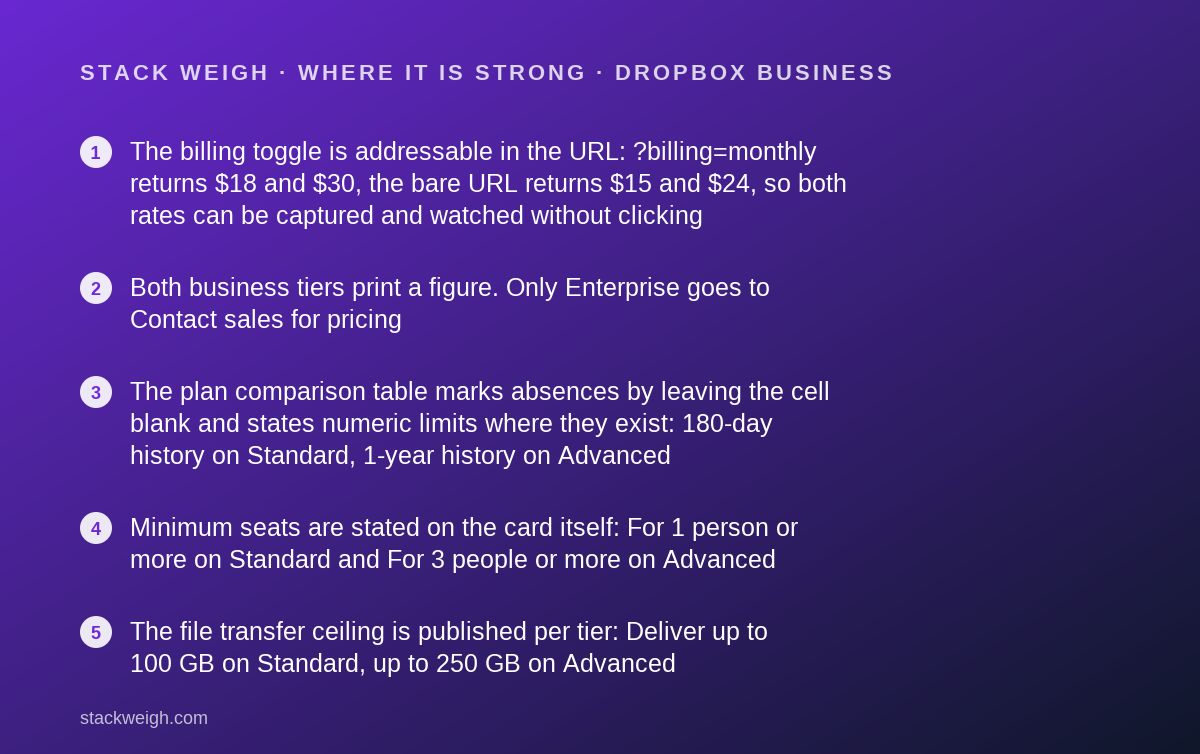
- The billing toggle is addressable in the URL: ?billing=monthly returns $18 and $30, the bare URL returns $15 and $24, so both rates can be captured and watched without clicking
- Both business tiers print a figure. Only Enterprise goes to Contact sales for pricing
- The plan comparison table marks absences by leaving the cell blank and states numeric limits where they exist: 180-day history on Standard, 1-year history on Advanced
- Minimum seats are stated on the card itself: For 1 person or more on Standard and For 3 people or more on Advanced
- The file transfer ceiling is published per tier: Deliver up to 100 GB on Standard, up to 250 GB on Advanced
- The non-profit and education discount is described with the paperwork it needs: a sales rep will need a copy of your 501(c)3
- Signature requests are quantified rather than implied: the eSignature row reads 3 per month on all three columns
Where it falls short
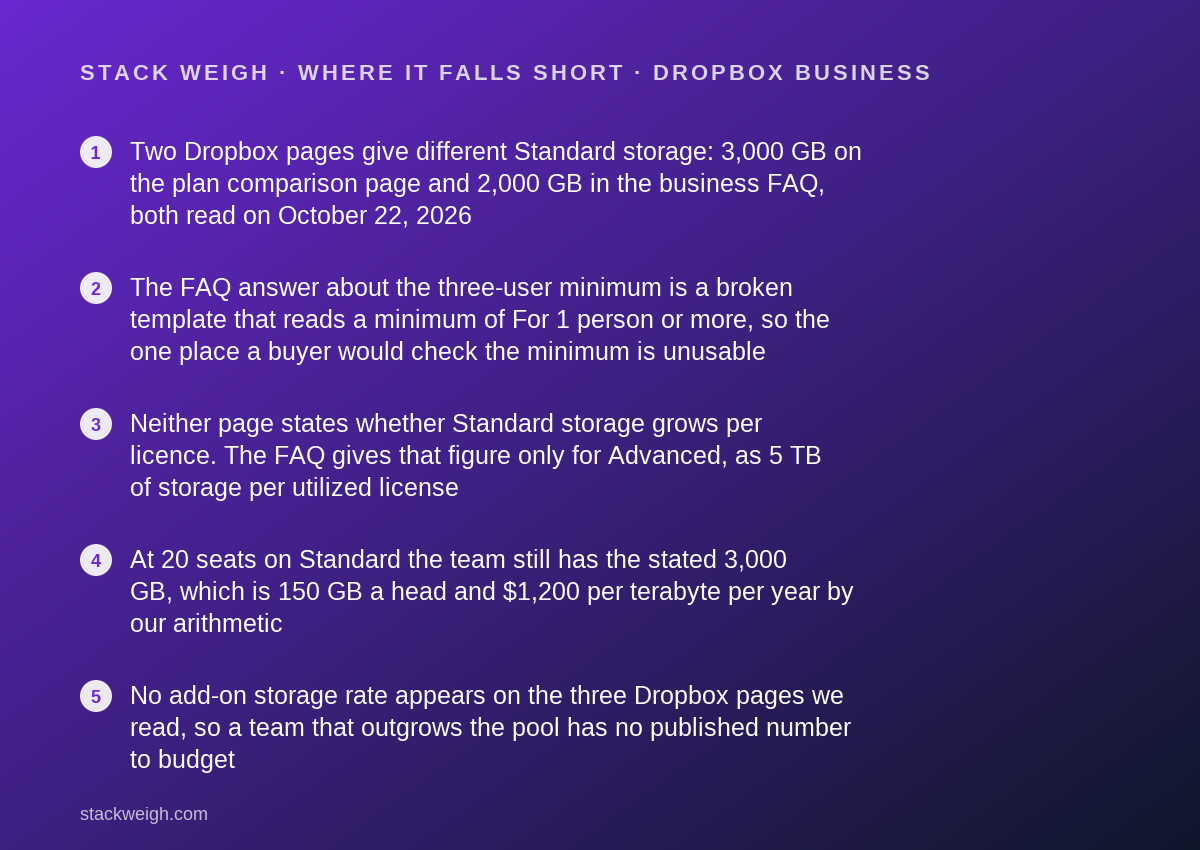
- Two Dropbox pages give different Standard storage: 3,000 GB on the plan comparison page and 2,000 GB in the business FAQ, both read on October 22, 2026
- The FAQ answer about the three-user minimum is a broken template that reads a minimum of For 1 person or more, so the one place a buyer would check the minimum is unusable
- Neither page states whether Standard storage grows per licence. The FAQ gives that figure only for Advanced, as 5 TB of storage per utilized license
- At 20 seats on Standard the team still has the stated 3,000 GB, which is 150 GB a head and $1,200 per terabyte per year by our arithmetic
- No add-on storage rate appears on the three Dropbox pages we read, so a team that outgrows the pool has no published number to budget
- Phone support during business hours is an Advanced row, so the entry tier is email and chat only
- The free trial length is not on the plan cards. They read only or try for free, while the page title of /plans reads Get 30 Days Free Trial
At a glance
| Starting price | $15 per user per month on Standard with the yearly toggle; $18 per user per month with the monthly toggle |
|---|---|
| Pricing note | From $15 per user per month on Standard with the yearly toggle, against $18 on the monthly toggle, with Advanced at $24 and $30 and a three-person minimum (plan comparison page, checked October 22, 2026) |
| Second tier | Advanced at $24 per user per month yearly and $30 monthly |
| Third tier | Enterprise, shown as Contact sales for pricing with Customize against both users and storage |
| Seat minimum | For 1 person or more on Standard, For 3 people or more on Advanced, per the plan cards. The business FAQ contradicts this |
| Team storage | Starts at 3,000 GB for the team on Standard and 15,000 GB on Advanced per the plan comparison page; the business FAQ says 2,000 GB for Standard |
| Per-licence storage | The FAQ states 5 TB of storage per utilized license for Advanced with a 3 license minimum. No equivalent figure is published for Standard |
| Version history | 180 days on Standard, 1 year on Advanced, for both account recovery and restoring deleted files |
| File transfer ceiling | Deliver up to 100 GB on Standard, up to 250 GB on Advanced and Enterprise |
| E-signature allowance | The Signature requests row reads 3 per month in all three columns, on top of unlimited self-signing |
| Support | Priority email and live chat on Standard; phone support during business hours added on Advanced; 24/7 phone support and advanced training on Enterprise |
| Free plan | No free business tier on the plan comparison page. Dropbox Basic is referenced in the FAQ as a personal account with its own quota |
| Trial | Not stated on the plan cards, which read or try for free. The /plans page title reads Find Your Dropbox Plan | Get 30 Days Free Trial |
What Dropbox sells to a team, and which number is the price
Dropbox sells two priced team tiers and one quote, and the price you see depends on a toggle rather than on your team.
Standard reads $15 / user / month with a card that says For 1 person or more and Starts at 3 TB for the team. Advanced reads $24 / user / month, For 3 people or more, Starts at 15 TB for the team.
Enterprise reads Contact sales for pricing, with the word Customize against both the user count and the storage.
Above the cards sits a radio group labelled Choose your billing cycle. The bare URL renders the yearly rates. Adding ?billing=monthly renders $18 and $30 instead.
That is unusually good behaviour from a pricing page. What is not good is that two Dropbox pages disagree about what the $15 buys.
This review grades the price list and the twelve-month arithmetic from the pages as displayed on October 22, 2026. The editors have not run a Dropbox team account for this piece.
Who Dropbox Business is best for
A flat team storage pool with a low seat price suits small teams with modest file volumes and broad feature needs.
- One and two-person companies, since Standard is the only plan in this category that accepts a single seat and still prints a per-seat figure
- Teams that want sync, PDF editing, watermarking, file transfer and e-signature billed on one line rather than assembled from add-ons
- Creative teams that send large deliverables, where the published 100 GB and 250 GB transfer ceilings matter more than the storage pool
- Agencies that reuse licences for contractors, which the FAQ endorses: licences can be reused, many of our customers reserve extra licences for contractors
- Teams that need HIPAA enablement and device approvals at the entry tier rather than at an enterprise tier
Who should skip it
Three buyers will find the shape of this price list works against them.
- Anyone whose storage need grows with headcount, because the Standard pool is stated as a team total and neither page says it increases per licence
- Buyers who need an exact storage figure in a contract, since the plan page and the FAQ print 3,000 GB and 2,000 GB for the same plan
- Teams that want phone support without doubling the seat price, which here means Advanced at $24
How the pricing is structured
Two per-seat rates, two billing cycles, one quote, and no published add-on line.
Standard is $15 per user per month on the yearly toggle and $18 on the monthly one. Advanced is $24 and $30. Those four figures are the whole published price list.
The annual discount is not one percentage. Standard annual sits 16.7 percent below its monthly rate; Advanced sits 20 percent below. A buyer who models one discount across both tiers will be wrong on one of them.
There is no published storage add-on and no published overage. Nothing on the three pages we read states what happens when a team fills the pool.
Our note on turning a pricing page into a bill covers the habit that catches this: write the twelve-month total next to the resource limit, on the same line.
What 1, 5, 20 and 50 people pay for 12 months
These are editorial calculations from the displayed rates on October 22, 2026, excluding tax. Advanced cannot be bought below three seats, so that row starts at three.
- Standard at 1 person: $180 a year on annual billing, $216 on monthly
- Standard at 5 people: $900 a year on annual billing, $1,080 on monthly
- Standard at 20 people: $3,600 a year on annual billing, $4,320 on monthly
- Standard at 50 people: $9,000 a year on annual billing, $10,800 on monthly
- Advanced at 3 people, the stated minimum: $864 a year annual, $1,080 monthly
- Advanced at 20 people: $5,760 a year annual, $7,200 monthly
- Advanced at 50 people: $14,400 a year annual, $18,000 monthly
- One extra hire: $180 a year on Standard, $288 on Advanced, annual billing
The same plan has two storage figures on two Dropbox pages
This is the finding that moves the value score, and it is not a reading error. Both strings were read on October 22, 2026.
The plan comparison page prints Starts at 3,000 GB for the team in the Standard column, and Starts at 3 TB for the team on the card above it.
The business FAQ, answering how much space does my team get, prints the Standard plan gives your team 2,000 GB of shared storage. The next FAQ repeats it.
That is a one-terabyte gap, which is a third of the plan.
The Advanced figures agree across both pages at 15 TB, and the FAQ adds the detail the plan page omits: 5 TB of storage per utilized license, 3 license minimum.
So Advanced grows with headcount and says so. For Standard, neither page states a per-licence increase at all.
We print both numbers rather than pick one. A buyer should get the Standard figure confirmed in the checkout screen before committing a year.
This is the exact failure mode described in how to read a per-seat pricing page: the per-seat rate is easy to verify and the resource limit behind it is not.
The FAQ answer about the seat minimum is a broken sentence
Dropbox asks itself the right question and then fails to answer it.
The business FAQ carries the heading Can I have fewer than 3 users on my account. The answer, as read on October 22, 2026, begins Yes. Both Dropbox Standard and Advanced plans include a minimum of For 1 person or more.
That is a template string that pulled the wrong field. For 1 person or more is the Standard card label, dropped into a sentence about both plans.
The plan comparison page is unambiguous in the Users row: For 1 person or more against Standard, For 3 people or more against Advanced.
We treat the plan page as the price list and the FAQ as broken here. A buyer who checks only the FAQ will budget Advanced for one seat and be refused at checkout.
It is worth asking whether the three-licence minimum on Advanced is a billing floor or a provisioning floor. The FAQ hints at the former by noting that licences can be reused.
The billing toggle is addressable in the URL, which is rare and useful
One thing on this page is better engineered than anything else in the category we have read.
Most pricing pages render only the toggle state you clicked, so an automated price watch sees one rate and misses the other. Dropbox exposes both.
Requested bare, the plan comparison page returns $15 and $24. Requested with ?billing=monthly it returns $18 and $30. The yearly state is therefore also the default.
That makes the annual discount measurable, which is the point of publishing it. Compare vendors who write billed annually and never print the alternative, a pattern we picked apart in comparing quotes priced in different units.
Ease of use: what the score is built from
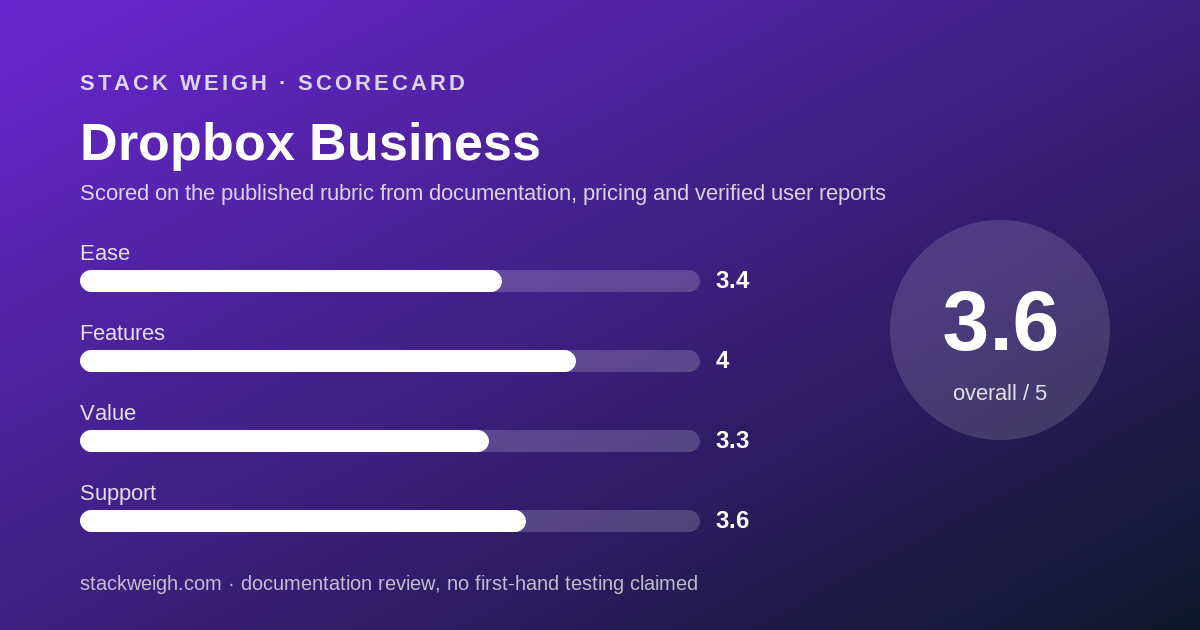
3.4 out of 5. This pillar grades the pricing page and the documented buying path, not the product.
The credits are real. Four of the five numbers a buyer needs are printed, the toggle is addressable, seat minimums sit on the cards, and version history and transfer ceilings are numeric rather than adjectival.
The deductions are the two contradictions above. A storage figure that differs by a terabyte between two pages, and a seat-minimum answer that is a broken template, are both cheap to fix and expensive to get wrong.
A third deduction is the trial. The cards read or try for free with no length, while the /plans page title reads Get 30 Days Free Trial.
Features: what the score is built from
4.0 out of 5. The published Standard column is wider than the entry column of anything else we read in this category.
Standard carries team folders, groups and roles, admin console, granular permissions, device approvals, remote wipe, watermarking, HIPAA enablement, password-protected links and PDF editing.
Advanced adds the security tier a compliance buyer looks for: end-to-end encryption, Advanced Key Management, data classification, ransomware detection, suspicious activity alerts, audit logs with file event tracking, tiered admin roles and single sign-on.
The e-signature row is honest about its limit. Unlimited self-signing on every tier, and Signature requests capped at 3 per month in all three columns.
The deduction is storage. A feature table this detailed should not leave the most basic number in the product disputed between two pages.
Value: what the score is built from
3.3 out of 5, and this is arithmetic rather than opinion.
$15 a seat is the middle of this category on headline price. The problem is what it buys as the team grows.
At 5 seats, Standard is $900 a year for the stated 3,000 GB. At 20 seats it is $3,600 a year for the same 3,000 GB, which is 150 GB a head and $1,200 per terabyte per year by our arithmetic.
On the FAQ's 2,000 GB figure it is $1,800 per terabyte per year.
For scale, a rival in this category prices 1 TB per user at $7.99 per user per month on annual billing, which is $95.88 per terabyte per year. Another makes storage unlimited from its $17.30 tier upward.
So Dropbox is competitive for a small team with small files and uncompetitive for a growing team with large ones.
Advanced fixes the scaling problem at $24 a seat by adding 5 TB per licence, and at that price it is no longer the cheap option. Teams modelling a whole stack may find budgeting for usage-based pricing useful here.
Support: what the score is built from
3.6 out of 5, built from the Support block of the plan comparison table.
Standard gets priority email support and live chat support. Advanced adds phone support during business hours. Enterprise adds 24/7 phone support and advanced training.
That is a clear ladder, and the business-hours qualifier is a useful piece of honesty.
The deductions apply to all three columns. No response-time target is stated for any channel, no hours window is given for the business-hours phone line, and no named success contact appears on any tier.
What verified users report
This review is built from Dropbox's own published pages. We have not compiled a dated sample of G2, Capterra or Reddit reports on Dropbox team billing, and we will not summarise impressions we have not collected.
Two questions are worth putting to buyers who have signed. Which Standard storage figure appeared in the checkout screen, 2,000 GB or 3,000 GB. And whether the pool grew when seats were added.
Limits stated by the vendor
From the plan comparison page and the business FAQ, checked October 22, 2026: $15 and $24 per user per month yearly; $18 and $30 monthly.
The same pages give For 1 person or more and For 3 people or more; 3,000 GB and 15,000 GB team storage on the plan page, 2,000 GB for Standard in the FAQ.
Also stated: 180-day and 1-year version history; transfers up to 100 GB and 250 GB; 3 signature requests per month on every tier; 1 billion API calls a month for data transport partners.
Not published on the pages we read: any storage add-on rate, any overage behaviour, any refund window, any support response target, the trial length on the plan cards, and any Enterprise figure.
The non-profit discount is stated without a percentage, and a sales rep will need a copy of your 501(c)3.
Alternatives
The alternative to Dropbox in this category is not a cheaper seat. It is a different relationship between the seat and the terabyte.
One rival prices 1 TB per user at $7.99 per user per month on annual billing, with a three-user minimum, so storage grows with headcount at roughly a twelfth of the Dropbox cost per terabyte. It publishes no single sign-on row, which is the trade.
Another makes storage unlimited from $17.30 per user per month on annual billing, but keeps a three-seat minimum and sells several security features as separately priced add-ons.
Choose Dropbox if the feature breadth at $15 and the single-seat entry matter more than cost per terabyte. Choose a per-user-terabyte vendor if the files are large and growing.
Our rankings for a ten-person team cover neighbouring budgets: the cheapest team wiki and the cheapest team chat and video. Teams already paying for Google Workspace should check what storage that subscription includes first.
Buy it if, skip it if
Buy Dropbox Business if you are one to five people, you want the feature breadth of the Standard column, and your file volume is stable. Skip it if you are buying terabytes, or if you need the storage number in a contract.
Before committing a year, do one thing: screenshot the storage figure in the checkout screen. The published pages disagree by a terabyte, and the checkout screen is the only version that binds.
Bottom line
Dropbox prints its prices properly and then undermines them. $15 and $24 a seat on annual billing, $18 and $30 on monthly, with the toggle addressable in the URL so both can be verified.
What the $15 buys is disputed by Dropbox itself: 3,000 GB on the plan comparison page, 2,000 GB in the business FAQ. The answer to its own question about the three-user minimum is a broken template sentence.
Ten people cost $1,800 a year on Standard and $2,880 on Advanced by our arithmetic. At 20 people, Standard is $3,600 a year for a storage pool that neither page says will grow.
All figures come from the plan comparison page, the same page with the billing parameter, and the business FAQ, as displayed on October 22, 2026. Confirm the storage figure before you sign.
Buy it if
- Your team is one or two people and you want a published per-seat price, since Standard is the only plan in this group that accepts a single seat and still prints a figure
- You want PDF editing, file transfer and e-signature on the same invoice as sync, all of which sit in the Standard column rather than behind an add-on
- Your storage need is flat and small, because a team pool that does not grow with headcount is cheap at three seats and expensive at thirty
- You need a 250 GB single transfer, which is an Advanced row and is the largest published transfer ceiling of the three storage pages we read for this category
Skip it if
- You are buying terabytes, because 20 seats on Standard is $3,600 a year for the stated 3,000 GB, or $1,200 per terabyte per year by our arithmetic
- You need the storage number in writing before signing, since two Dropbox pages print two different figures for the same plan
- You need phone support at the entry price, which here means paying $24 a seat rather than $15
Frequently asked
How much does Dropbox Business cost for a 10-person team?
$1,800 a year on Standard and $2,880 on Advanced, by our arithmetic from the $15 and $24 yearly-toggle rates read on October 22, 2026. On the monthly toggle the same team pays $2,160 and $3,600. Tax is not included in any of those figures.
Does Dropbox Business have a free plan?
Not on the plan comparison page. Standard, Advanced and Enterprise are the only columns, and the cards offer Buy now or try for free with no length attached. The page title on /plans reads Get 30 Days Free Trial.
How much storage does Dropbox Standard include?
Dropbox prints two answers. The plan comparison page reads Starts at 3,000 GB for the team. The business FAQ reads the Standard plan gives your team 2,000 GB of shared storage. Both were read on October 22, 2026. Get the figure confirmed at checkout.
Can I buy Dropbox Advanced for fewer than three people?
The plan card says For 3 people or more. The FAQ question Can I have fewer than 3 users on my account is answered with a broken template sentence that reads a minimum of For 1 person or more, so the site does not answer its own question. Ask sales.
How much cheaper is annual billing on Dropbox?
Standard is $15 against $18, which is 16.7 percent below the monthly rate. Advanced is $24 against $30, which is 20 percent below. The discount is not the same on both tiers, which is worth checking before you assume one percentage.
Can I add storage to a Dropbox team plan?
No add-on storage rate appears on the plan comparison page, the /plans page or the business FAQ as read on October 22, 2026. The FAQ routes extra space to the Advanced tier instead, at 5 TB per utilized licence.
Does Dropbox include e-signatures?
Yes, with a cap. The plan comparison table shows unlimited self-signing on every tier and a Signature requests row that reads 3 per month in all three columns. Higher volume is a separate Dropbox Sign purchase, which this page does not price.
Which Dropbox tier includes single sign-on?
Advanced. The Single sign-on (SSO) integrations row sits in the Advanced and Enterprise columns on the plan comparison table, alongside end-to-end encryption, Advanced Key Management, tiered admin roles and compliance tracking.
Sources
- Dropbox for business plan comparison page, yearly toggle (plan cards, full feature table, seat minimums, storage and transfer limits) - checked October 22, 2026
- Dropbox for business plan comparison page, monthly toggle via the billing URL parameter ($18 and $30) - checked October 22, 2026
- Dropbox business FAQs (Standard at 2,000 GB, Advanced at 5 TB per utilized license with a 3 license minimum, the non-profit discount paperwork) - checked October 22, 2026
Update history
- October 22, 2026 - First published from the Dropbox plan comparison page and business FAQ as displayed on October 22, 2026. Prices were read from a headless-browser DOM dump and confirmed by a second fetch of the same URLs; the monthly rates were obtained by appending ?billing=monthly, which the page honours. The 3,000 GB against 2,000 GB storage conflict and the broken seat-minimum FAQ answer are printed as found rather than resolved.
Visit Dropbox Business
We have no affiliate relationship with this vendor. Link goes to the official site.