 Stack
Stack
1Password
The only password manager on this desk that sells a flat pack for a small team, and the only one that prints both billing rates in three currencies
Scored on the published rubric, from documentation, pricing and verified user reports.
Best for: Teams of exactly 10 to 20 people who want a fixed yearly figure rather than a per-seat multiplication, and who do not need single sign-on on day one.
Verdict
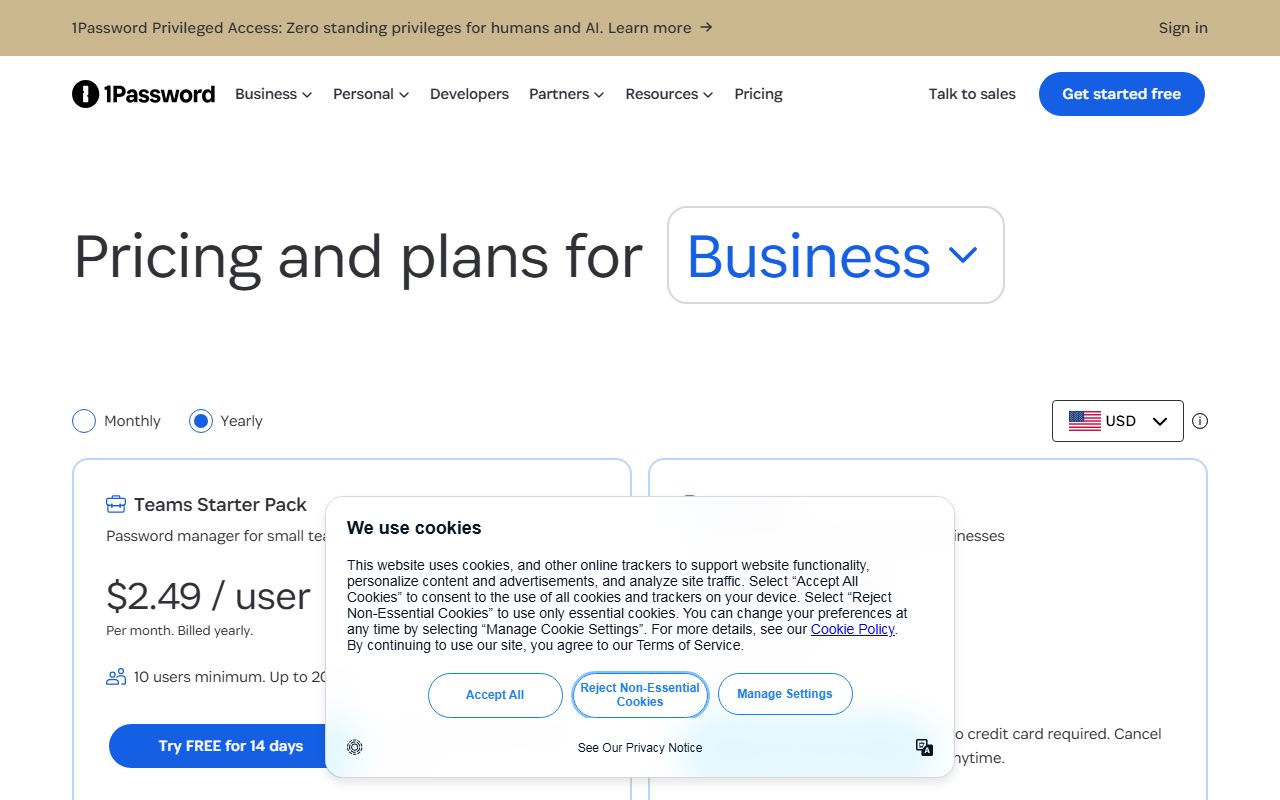
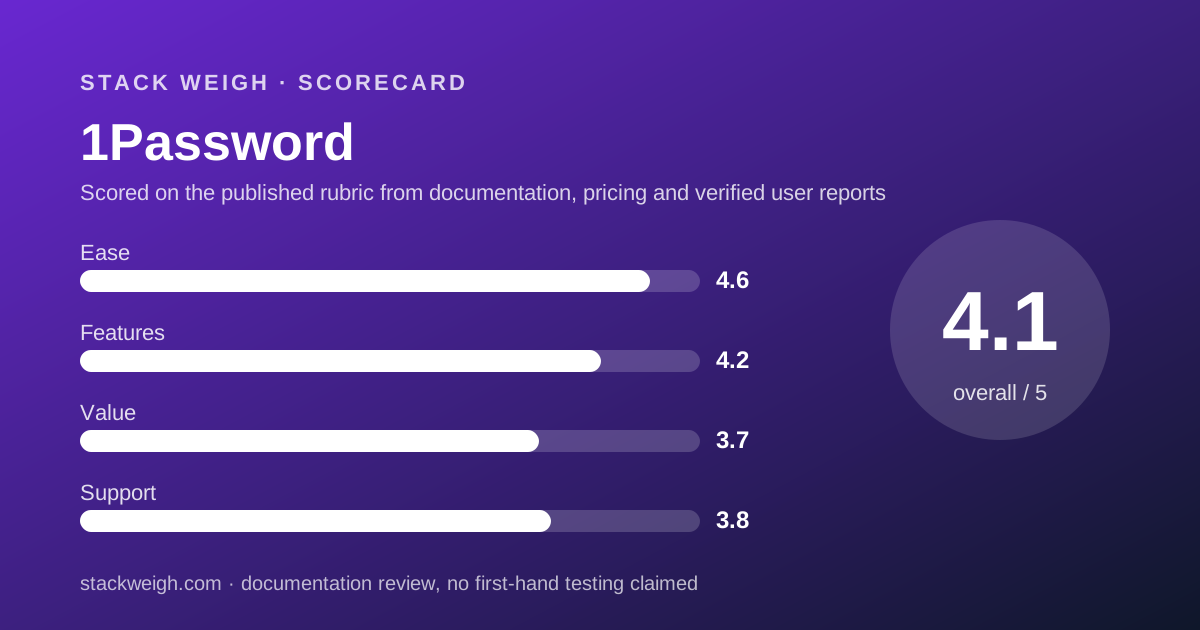
1Password has the clearest small-team price list in this category and the steepest cliff in it. This is a documentation review built from the business pricing page as displayed on October 20, 2026, not from direct use. Teams Starter Pack shows $2.49 per user per month, billed yearly, with the requirement line 10 users minimum. Up to 20 users. The FAQ on the same page converts that into the figure that actually appears on an invoice: $24.95 per month, or $299.40 per year, including 10 members. Business shows $8.99 per user per month billed yearly, a 1 user minimum and $107.88 per user per year. So ten people pay $299.40 on one plan and $1,078.80 on the other, a ratio of 3.6 to 1 by our arithmetic, and the gap buys identity-provider integrations rather than seats. Ease scores 4.6 because the page prints the monthly rate, the yearly rate, the seat floor, the seat ceiling and three currencies without a sales call. Value scores 3.7 because the moment a team passes 20 people the cheap pack disappears.
Visit 1Password
We have no affiliate relationship with this vendor. Link goes to the official site.
Where it is strong
- The pack price is stated as a total, not only as a per-user rate: the FAQ prints $24.95 per month and $299.40 per year for ten members
- Both billing rates are readable: $2.49 per user per month billed yearly against $2.99 billed monthly on Teams, and $8.99 against $10.99 on Business
- Three currencies are published side by side, with Teams at $24.95 USD, $29.95 CAD and 21.95 EUR per month on annual billing
- The expansion rate above ten members is printed rather than quoted: $4.99 per seat per month in USD, $6.25 CAD, 4.49 EUR
- Both seat boundaries are on the card: 10 users minimum and up to 20 users on Teams, 1 user minimum on Business
- The trial is 14 days with the words no credit card required and cancel anytime next to it
Where it falls short
- Teams Starter Pack stops dead at 20 members, and the page offers no bridge plan between it and Business at $8.99 per user per month
- Single sign-on is a Business feature, so the cheapest 1Password plan that integrates with Okta or Entra ID costs $1,078.80 a year for ten people by our arithmetic
- There is no free tier at all, only the 14-day trial
- The per-user figure on the Teams card does not multiply to the pack price: ten times $2.49 is $298.80, while the FAQ states $299.40 a year
- Personalized onboarding and a dedicated Customer Success Manager are both restricted to organisations with 101 or more users, which excludes every team this plan is sold to
- Enterprise carries no figure of any kind on the page
What 1Password actually sells a small team
1Password sells two different pricing shapes under one brand, and the cheaper one is a pack rather than a per-seat rate.
Teams Starter Pack is a block of ten members. The card shows $2.49 per user per month with the subtitle Per month. Billed yearly., and the requirement line reads 10 users minimum. Up to 20 users.
The FAQ on the same page converts that into the figure an invoice carries: $24.95 per month when billed annually, or $299.40 per year, and includes 10 members.
Business is the ordinary per-seat shape. It shows $8.99 per user per month billed yearly, a 1 user minimum, and the FAQ restates it as $107.88 per user per year.
This review reads the business pricing page as displayed on October 20, 2026. It grades the price list and the twelve-month arithmetic, not the vault software. The editors have not run an account for this piece.
If you are holding this quote next to one priced in documents or storage rather than seats, start with comparing quotes priced in different units.
Who 1Password is best for
A plan with a floor of ten and a ceiling of twenty is priced for one specific company shape, and it is worth saying which.
- Teams that already have ten people and expect to have twelve or fifteen next year, not forty
- Buyers who want a single yearly total to put in a budget line rather than a rate to multiply
- Companies invoicing in Canadian dollars or euros, both of which the page prints as native figures
- Developer-heavy teams, since SSH key signing, Git commit signing, the CLI and the SDKs are listed on the cheaper card rather than held back
- Organisations that can run identity management manually for a year and add single sign-on later
- Buyers who want the trial without handing over a card, which both plans state
Who should skip it
Three profiles will find the headline figure stops applying almost immediately.
- Teams at nine people or fewer, because the minimum is ten and the pack does not shrink
- Teams heading past twenty, where the next published step is $8.99 per user per month and nothing sits between
- Any buyer whose security policy requires single sign-on on day one, which moves the quote to Business
How the pricing is structured
Two plans, two billing periods, three currencies, and all of it on the page without a form to fill in.
The toggle offers Monthly and Yearly, and the currency selector offers USD, CAD and EUR with the tooltip Data stored in your currency's region.
Read from a connection in Vietnam on October 20, 2026 the page rendered the Yearly and USD state by default. The other states are in the page markup, so both billing rates are readable for every plan.
On Teams, $2.49 per user per month billed yearly sits against $2.99 billed monthly. On Business, $8.99 sits against $10.99. In euros the pairs are 2.19 against 2.59, and 7.99 against 9.99.
That makes the annual discount checkable rather than claimed, which is the opposite of what we found across the e-signature desk in choosing an e-signature plan by monthly volume.
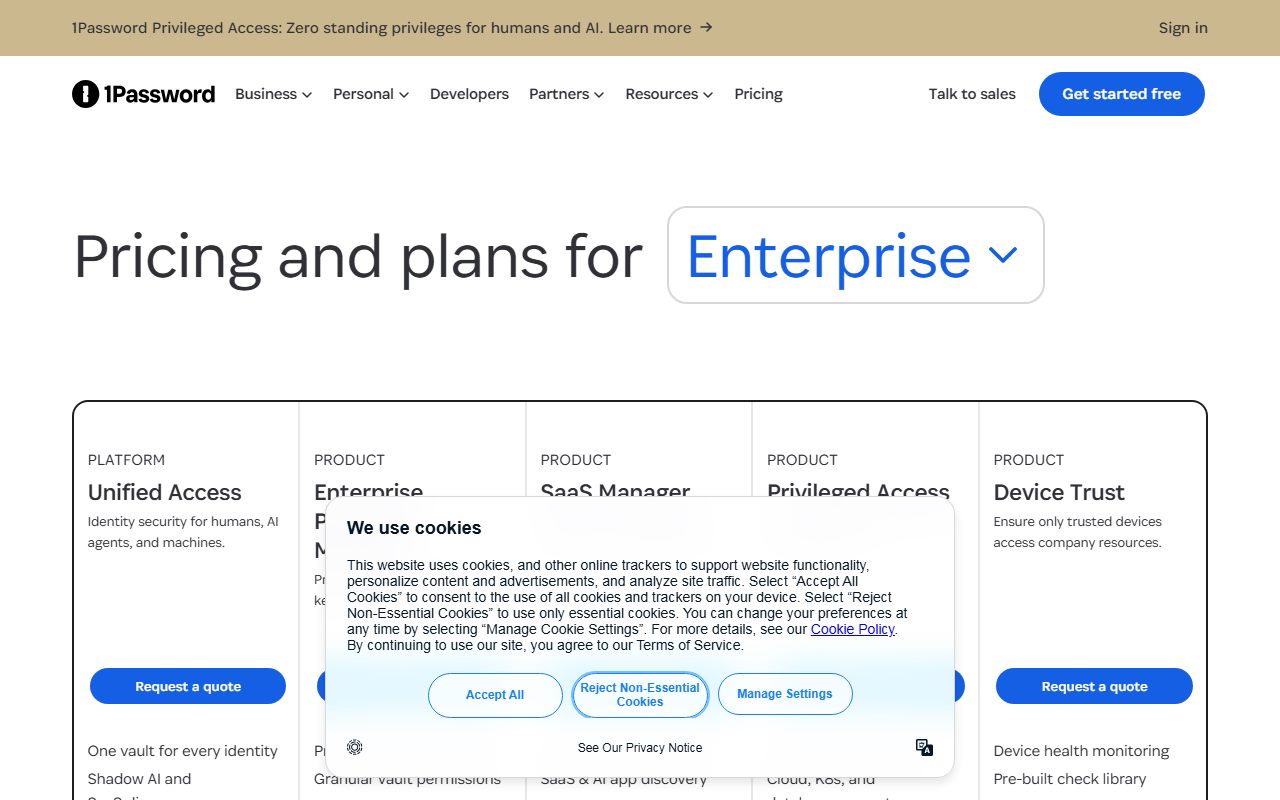
Enterprise appears as a card with no price at all. There is no number, no floor and no unit.
What 10 and 20 people pay for 12 months
These are editorial calculations from the displayed annual-billing prices on October 20, 2026, excluding tax. Two of them are not calculations at all, because the page prints the total.
- Teams Starter Pack at 10 people: $299.40 a year, printed on the page rather than derived
- Teams Starter Pack at 15 people: $299.40 plus five extra seats at $4.99 a month, so $299.40 plus $299.40, which is $598.80 a year
- Teams Starter Pack at 20 people: $299.40 plus ten extra seats, so $898.20 a year, which is the most the plan can cost
- Business at 10 people: $107.88 per user per year, so $1,078.80
- Business at 20 people: $2,157.60 a year
- Business at 10 people billed monthly: $10.99 times ten times twelve, which is $1,318.80, a premium of $240 for not committing
- Teams Starter Pack at 21 people: no published price. The plan ends and Business begins
The per-user figure on the Teams card is a rounding, not a rate
This is a small discrepancy with a useful lesson in it, and the page contains both halves so there is nothing to guess.
Ten members at $2.49 per user per month is $24.90 a month, or $298.80 a year. The FAQ states $24.95 per month, or $299.40 per year.
The pack is the real price and $2.49 is $24.95 divided by ten and rounded down. The gap is 60 cents a year, which matters to nobody.
What matters is the direction of the error. The displayed per-user rate is lower than the true per-user cost, so multiplying the card figure by your headcount understates the bill rather than overstating it.
The same rounding appears in the other currencies: 21.95 EUR a month across ten members is 2.195 EUR each, displayed as 2.19.
The rule we apply to every pack-priced plan on this desk is to budget from the printed total and treat the per-user figure as a marketing division. How to read a per-seat pricing page sets out where else that division hides.
The twenty-seat ceiling is the number that decides everything
Every other figure on this page is generous. The ceiling is where the plan bites.
Teams Starter Pack holds ten members and admits ten more at $4.99 per seat per month. At twenty members the plan is full and the page offers nothing between it and Business.
So growth from twenty to twenty-one people moves a company from $898.20 a year to $2,265.48, by our arithmetic from the published rates. That is a 2.5-fold jump for one hire.
The expansion seats also cost twice the pack rate. A seat inside the pack works out at $2.495 a month and a seat outside it at $4.99, exactly double, which makes the eleventh person the most expensive hire in the plan proportionally.
None of this is hidden. It is printed on the card and in the FAQ, which is more than most price lists in this category manage.
It does mean the plan should be bought with a headcount forecast rather than a current headcount. Our note on turning a pricing page into a bill covers how to write a ceiling into an order form.
Ease of use: what the score is built from
4.6 out of 5, the highest ease score on this desk. This pillar grades the pricing page and the documented buying path, not the vault.
The page does four things almost no price list does at once. It prints both billing periods, three native currencies, the seat floor and the seat ceiling, and it converts the per-user rate into a yearly total in its own FAQ.
It also prices the expansion seat, in all three currencies, which removes the only arithmetic a buyer would otherwise have to guess at.
The deduction is for the Enterprise card, which carries no figure, and for the rounding gap between $2.49 and $24.95 that a careful reader has to notice unaided.
For comparison, the clearest page we graded on the e-signature desk printed both rates but no currency code at all.
Features: what the score is built from
4.2 out of 5. The split between the two plans is coherent and the documented security baseline is identical on both.
Teams Starter Pack carries the parts a small team needs daily: credential sharing with people who do not have an account, temporary sharing with expiry dates, role-based permissions, security alerts, and the developer tooling.
The security rows do not differ by plan. End-to-end AES 256-bit encryption, Two-Key Derivation, the secure remote password protocol and the line Meet industry standards with SOC 2 Type II certification appear for both.
What Business adds is identity and administration: integrations with Okta, Entra ID, OneLogin and Duo, Watchtower alerts, role-based vault sharing, custom policies, custom groups and business reporting.
One quiet row shows the split in miniature. Limited-access guest accounts are capped at 5 on Teams and 20 on Business.
The deduction is for placing user provisioning and event streaming to SIEM tools entirely on the dearer plan, which is where a company with a written security policy has to sit.
Value: what the score is built from
3.7 out of 5. The value is real and it is narrow.
At $299.40 a year for ten people, Teams Starter Pack is the second cheapest published figure we have priced in this category, and it is a total rather than an estimate.
At $1,078.80 a year for the same ten people, Business is the dearest published figure we have priced in this category. The same brand holds both ends of the range.
The deciding question is therefore not whether 1Password is good value but whether single sign-on is on your requirement list. If it is, the cheap figure is not available to you at all.
The half point and more withheld is for the absence of anything between $2.49 and $8.99. A team of thirty has no 1Password price that reflects its size.
Teams buying a credential tool alongside a wiki or a chat tool should set this against the per-seat totals in the cheapest team wiki for a 10-person team, where the same ten seats move a software budget by several hundred dollars a year.
Support: what the score is built from
3.8 out of 5. The documented channels are good and the human help is reserved for companies this plan cannot contain.
The feature table lists 24/7 support via email, forum and social media, a self-serve library, and the row Call our expert support team Monday to Friday, 9 AM-5 PM EST.
A published phone window is unusual in this category and worth a point on its own. No response target is stated for any channel.
The deduction is for two rows that read almost as a contradiction on a plan capped at twenty people. Personalized training is offered for organizations with 101+ users, and a dedicated Customer Success Manager for organizations with 101+ users.
Quarterly business reviews and extended proof-of-concept periods are both marked for enterprise customers.
What verified users report
This review is built from the vendor's own price list. We have not compiled a dated sample of G2, Capterra or Reddit reports on 1Password billing, and we will not summarise impressions we have not collected.
Two questions are worth putting to other buyers of this plan. Whether the jump from the Teams pack to Business was negotiable at the twenty-first seat, and whether the $4.99 expansion seat prorated cleanly mid-term.
Limits stated by the vendor
From the business pricing page and its FAQ, checked October 20, 2026: 10 users minimum and up to 20 users on Teams Starter Pack, and 1 user minimum on Business.
Up to 10 additional Teams seats are sold at $4.99 per seat per month in USD. The trial is 14 days with no credit card required.
Guest accounts are capped at 5 on Teams and 20 on Business. Personalized training and a dedicated Customer Success Manager require 101 or more users.
Not published: any Enterprise figure, a support response target, a refund window, and a data residency list beyond the currency-region tooltip.
Alternatives
The alternative to 1Password at this headcount is not a cheaper vault. It is a flat per-seat rate with no ceiling.
A flat per-seat plan at four dollars a user per month costs more than the Teams pack at exactly ten people and less than Business at every headcount. It does not change shape when the eleventh person arrives.
That is the trade: a slightly higher floor in exchange for no cliff later.
A plan that prices administration as paid add-ons rather than as a tier is the other shape worth a quote. It lets a small team buy the vault cheaply and attach dark-web monitoring or reporting only if it wants them.
Choose 1Password if your headcount is stable inside the ten-to-twenty band and you value a printed total. Choose a flat per-seat plan if you are growing, and a modular plan if your requirements are uneven.
For teams pricing a whole stack rather than one tool, budgeting for usage-based pricing and our reviews of Google Workspace and Notion show how quickly ten seats compound across three invoices.
Buy it if, skip it if
Buy 1Password if you have ten to twenty people, want a yearly total rather than a rate, and can live without identity-provider integrations for the term. Skip it if you are growing past twenty or need single sign-on now.
Before committing, get the renewal treatment of the twenty-first seat in writing. The page is clear that the pack ends there and silent about what the next invoice looks like.
Bottom line
1Password publishes the most readable small-team price list in this category and the sharpest cliff. Ten people cost $299.40 a year on Teams Starter Pack, twenty cost $898.20, and twenty-one cost $2,265.48 by our arithmetic from the published rates.
The Business plan at $8.99 per user per month, or $107.88 per user per year, is where single sign-on lives, which makes it the real entry price for anyone with a written security policy.
All figures come from the business pricing page as displayed on October 20, 2026 in the Yearly and USD state, with the Monthly and EUR figures read from the page markup. Confirm the currency and the expansion rate at checkout.
Visit 1Password
We have no affiliate relationship with this vendor. Link goes to the official site.